Threat detection & alerting
Threat detection and alerting is where a pile of logs becomes an actual defense: the layer that turns raw events into a signal a responder acts on before an intrusion becomes a breach. Every major cloud ships capable native detection, yet it is one of the most commonly under-configured controls we see — switched on in one account but not the rest, running only its base tier, or generating findings that route to an inbox nobody owns. The gap is rarely the technology; it is the wiring between a finding and a human who has both the authority and the pager to respond. We assess whether detection is enabled everywhere it should be, whether it watches for the specific control-plane and identity actions that signal a cloud compromise, and whether its output actually reaches someone who will act on it in time. Detection you cannot prove anyone reads is, in practice, indistinguishable from no detection at all.
Overview
What this check looks like in practice
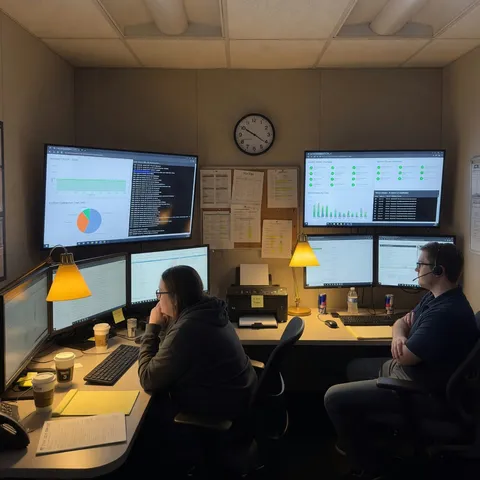
Collecting logs is not detecting threats — someone or something has to turn events into a signal a human acts on. Each provider ships native detection, but it is frequently left disabled, or its findings route nowhere and quietly pile up. We assess whether detection is enabled across the estate and whether its output actually reaches a responder.
Why it matters
An attacker who lands in a cloud account moves in minutes — minting access keys, escalating privilege, disabling audit logging, and staging exfiltration — so the window between the first suspicious API call and real damage is short, and detection that fires a day later or into an unread queue closes none of it. Native detectors catch a great deal of this automatically, but only when they are enabled across the whole organization and their findings are routed to a responder rather than piling up in a console tab. Auditors and cyber-insurers treat detection-and-response as a control in its own right: they ask who owns alert triage, what the escalation path is, and how you would even know if a detector had been silently turned off. When that wiring is missing, the first notice of an incident tends to arrive from a customer, a regulator, or a ransom note — long after the evidence and the chance to contain it are gone.
What we assess
What we look for
- Native detection (GuardDuty, Defender for Cloud, Security Command Center) enabled organization-wide through a delegated or central administrator — not account by account — with the protection plans and tiers your workloads need (malware, runtime, container, database) rather than only the base tier
- High-severity findings routed automatically to an owned, monitored destination — a SIEM, ticketing queue, or on-call tool — with a named owner and a documented escalation path, not an inbox alias or a console nobody opens
- Explicit high-fidelity alerts on the actions that signal cloud compromise: root or global-admin use, changes to or disabling of audit logging, new privileged grants, credential and access-key creation, mass deletion, and security-group or firewall opens
- Behavioral and anomaly detection engaged — impossible-travel sign-ins, crypto-mining, unusual API call patterns, and data-exfiltration behavior — beyond static signature matching
- Findings aggregated to a single place and deduplicated across accounts, so one incident does not surface as scattered fragments in separate consoles
- Alert tuning that keeps volume triageable — suppression rules, severity thresholds, and noise review — so genuine signals are not buried under benign findings
- Detection content managed deliberately (version-controlled or mapped to a coverage model such as MITRE ATT&CK) and tested, rather than assumed to still work
- Monitoring of the detection pipeline itself — a disabled detector, a broken log sink, or a failed SIEM connector should raise an alert instead of creating a silent blind spot
Across your clouds
AWS, Azure & Google Cloud
AWS
Amazon GuardDuty enabled organization-wide through a delegated administrator account, with the protection plans your workloads need turned on (S3 Protection, EKS Protection, Runtime Monitoring, Malware Protection, RDS Protection, Lambda Protection) rather than the base tier alone; findings aggregated in AWS Security Hub and routed via EventBridge to SNS, a SIEM, or an on-call tool, plus CloudWatch metric-filter alarms on CloudTrail for events GuardDuty does not cover (root use, IAM changes, logging tampering) and Amazon Detective for investigation.
Azure
Microsoft Defender for Cloud with the relevant Defender plans enabled across every subscription (Servers, Containers, Storage, Key Vault, Databases) rather than free-tier posture only; alerts forwarded into Microsoft Sentinel, where analytics rules, automation rules, and Logic App playbooks handle correlation, triage, and escalation, with Microsoft Entra ID Protection surfacing risky sign-ins and identity-based anomalies.
Google Cloud
Security Command Center (Premium or Enterprise tier) with its built-in detectors — Event Threat Detection, Container Threat Detection, and VM Threat Detection — active across the organization; findings exported through Pub/Sub to Google SecOps (Chronicle) or your SIEM for alerting, complemented by log-based alerts in Cloud Monitoring for admin actions and audit-log changes that warrant a page.
Example finding
High-severity threat findings are generated but route only to an unmonitored console — with GuardDuty active in just the management account
Risk: Member accounts run no detection at all, so an intrusion in the workloads that actually matter produces no finding, and the findings that do fire land in a console tab no one is assigned to watch — meaning a real compromise could run for days before anyone notices, with no responder, escalation path, or triage owner in place.
Fix: Enable GuardDuty organization-wide via a delegated administrator with the workload-relevant protection plans, aggregate findings in Security Hub, and route high-severity findings through EventBridge into your ticketing or on-call tool with a named owner and an escalation SLA.
Remediation
How to close it
- 1 Enable native detection organization-wide through a delegated or central administrator, and turn on the protection plans and tiers your workloads require (malware, runtime, container, database) rather than the base tier only.
- 2 Designate one aggregation point — a provider security hub or your SIEM — and forward all findings there deduplicated, so incidents surface whole instead of scattered across accounts.
- 3 Wire high-severity findings to an owned, monitored channel with automated routing (EventBridge, automation rules, or Pub/Sub) into ticketing or on-call, and assign a named triage owner with a documented escalation SLA.
- 4 Add explicit high-fidelity detections for the compromise indicators native tools miss — root or global-admin use, audit-logging changes, new privileged grants, and mass deletion — as log-based or metric-filter alerts.
- 5 Tune out noise with suppression rules and severity thresholds, and review alert volume against real triage capacity so genuine signals are not buried.
- 6 Monitor the health of the detection pipeline itself and test detections periodically, so a disabled detector or a broken connector raises an alert instead of quietly creating a blind spot.
Compliance evidence
Questions
Isn't turning on GuardDuty, Defender for Cloud, or Security Command Center enough?
Enabling detection is step one, but it only lowers risk if findings reach a person who acts. We check the whole path: organization-wide enablement, the protection tiers relevant to your workloads, automated routing to an owned channel, and whether high-severity findings are actually triaged rather than merely generated.
We already have a SIEM and an on-call rotation — what is left to assess?
The SIEM is the right destination; the gaps are usually upstream. We verify that every account, subscription, and project actually forwards its findings, that detection content covers the cloud-specific indicators (identity and control-plane abuse, not just host and network events), and that alerts are tuned so the on-call rotation is not drowned in noise it learns to ignore.
Can you assess detection without access to our alert contents or our SOC?
Yes — the review is read-only and configuration-focused. We look at which detectors and tiers are enabled, how findings route, whether escalation owners and suppression rules exist, and whether the pipeline's own health is monitored. We confirm the detection path is sound without reading your alert data.
More in logging & monitoring
See where you stand
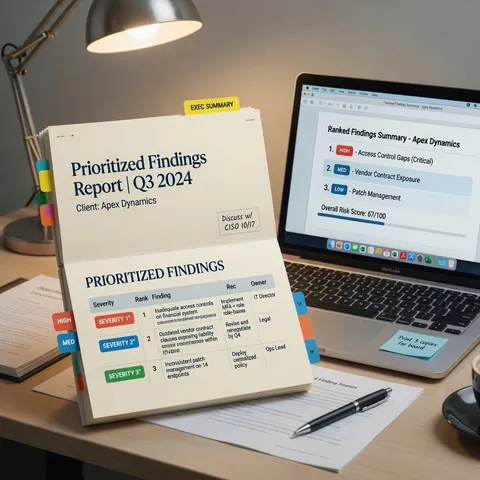
A health check finds and prioritizes real exposure. It is not a certification or a promise you will never be breached — closing the findings is what changes your risk.
Related domain surfaces
The rest of what we assess
The same read-only assessment covers every domain — see what else it looks at.